RealSelf Inc.
Onboarding and personalization
As a Product Designer on RealSelf's consumer engagement team, I personalized the onsite content browsing experience — building an onboarding flow to collect user demographics and introducing tailored sort options. This work helped drive a 46% increase in organic traffic.
Overview
RealSelf’s value lies in the extensive amount of content we offer. Browsing through detailed reviews, before and after images, and Q&A, helps people in their research toward selecting the right provider and getting a procedure. However, the browsing experience was tedious due to poor content management and lack of personalization.
My role and team
I was the design lead for this project and responsible for UX strategy and design. Our team consisted of a product manager, content strategist, and researcher.
The Problem
Due to the suboptimal browsing experience, consumer engagement for our platform was at an all time low.
↪ Browsing preferences are not saved


↪ Content tagging is inconvenient

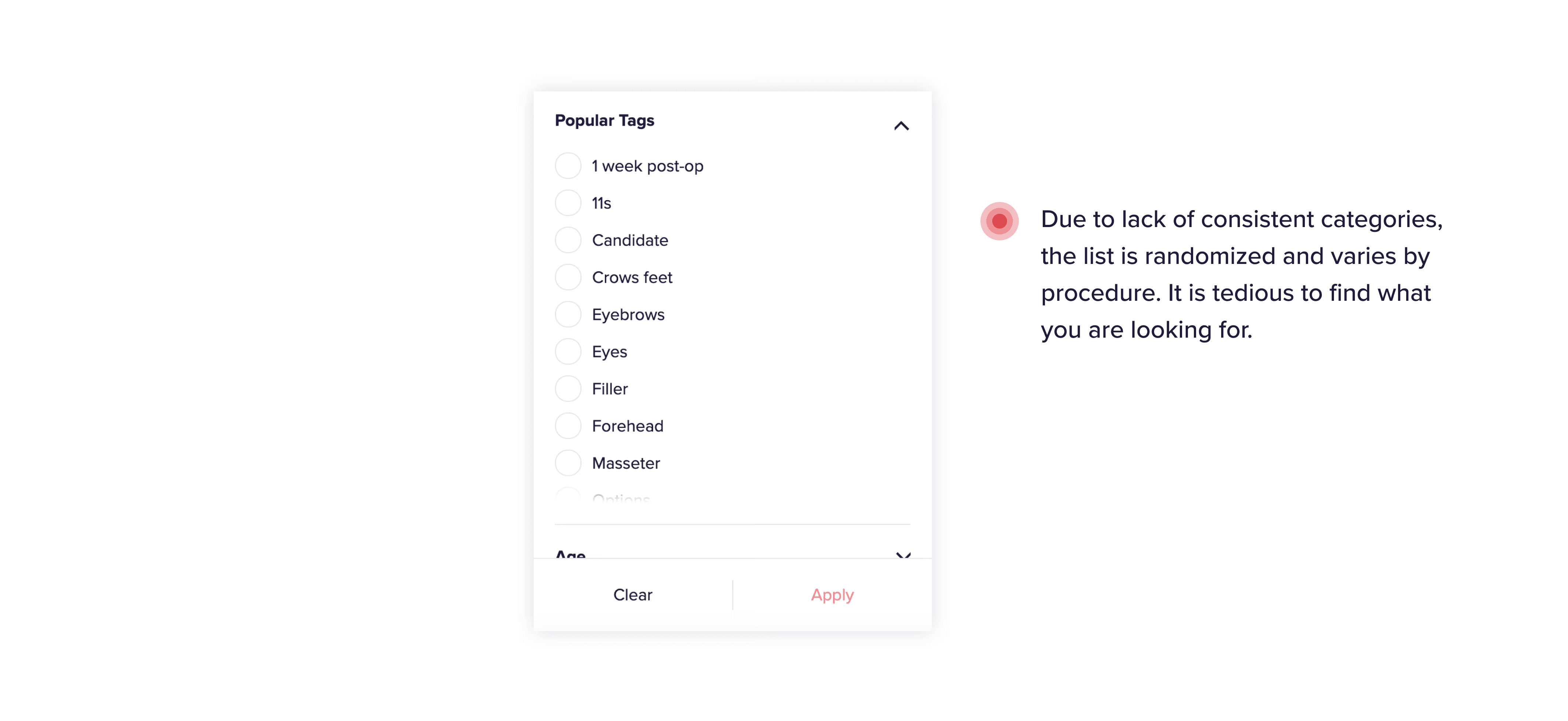
↪ Managing the feed is not intuitive


Onboarding flow
Capturing demographic data as soon as people sign up will help us store this information and predict browsing preferences. This further helps us pre-select desired filters and personalize the site experience for our users.


Filter and sort on list pages
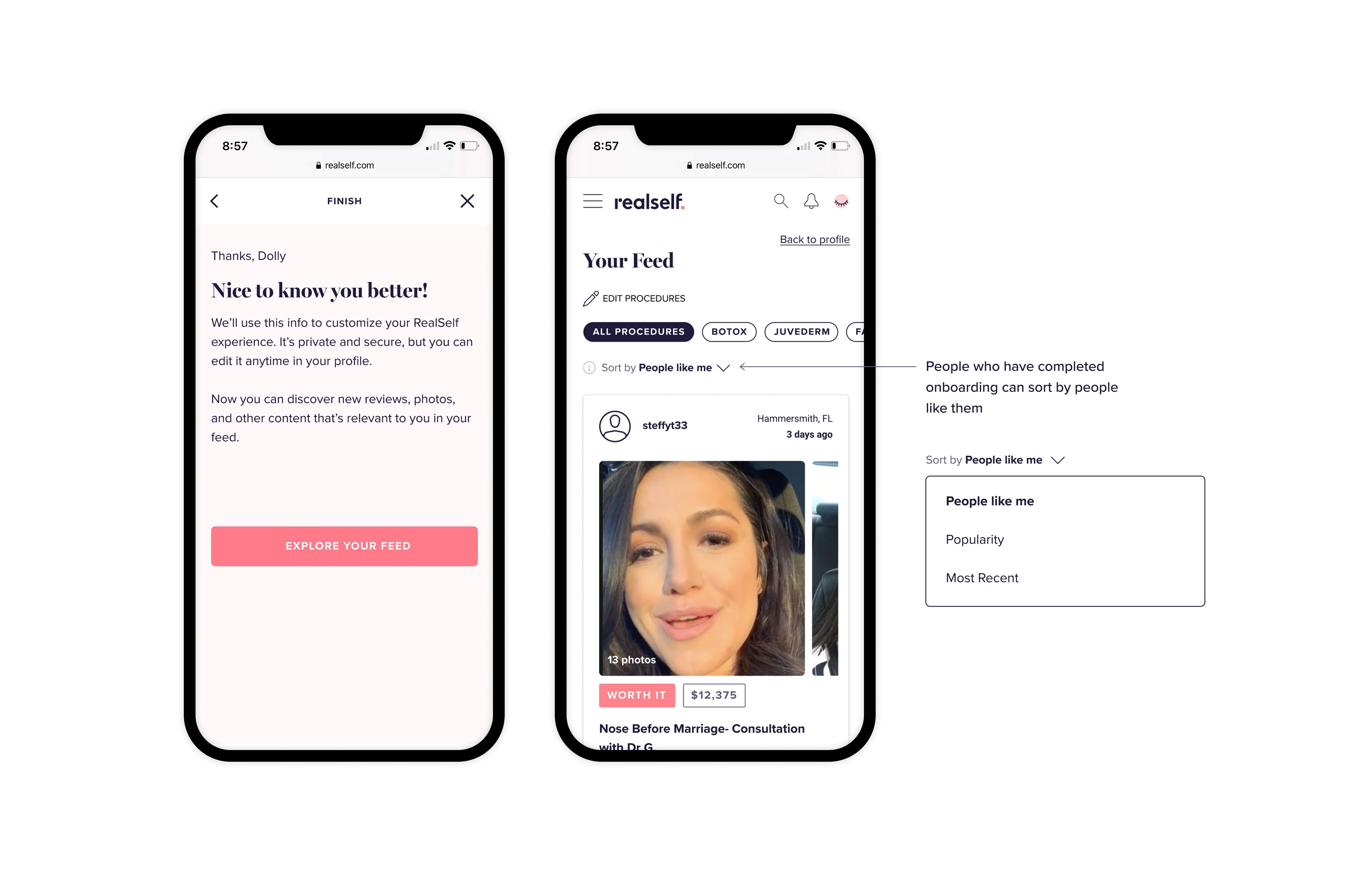
The information collected during onboarding is used to populate filters across list pages and personalize the experience. Users are then able to sort by "People like me" which shows similar profiles first.
Content tagging
Having collected this information, we can now tag the content posted by our community. Instead of combing through reviews and photos to identify popular tags, our content moderation team can take a step back. posted by a user will be tagged with their demographic information in our systems.


Filter by procedures on the feed
In an effort to increase engagement and traffic on the feed we added a new topic management feature which allows users to add and remove topics as they see fit. At the end of the onboarding flow we recommend exploring the feed — which is now populated with personalized content.

Update the user profile
The demographic data provided by users is stored and can be edited on the profile page. Adding this functionality also aligned with our efforts to migrate the profile to react and improve access to other pages like Favorites and Feed.
